Enabler Portal Video Guide
Watch the real live application walkthrough with studio neural narration, or jump directly into individual chapters below.
“Hi everyone, and welcome! In this quick walkthrough, we’ll show you how simple it is to complete your weekly team reviews in the Enabler app. To get started, head over to the sign-in page and enter your registered work email—like sujitsaha2212@gmail.com. You can log in directly with your password, or use a quick one-time verification code.”
Jump to Chapter
Click any scene card below to instantly jump the video and review specific topics
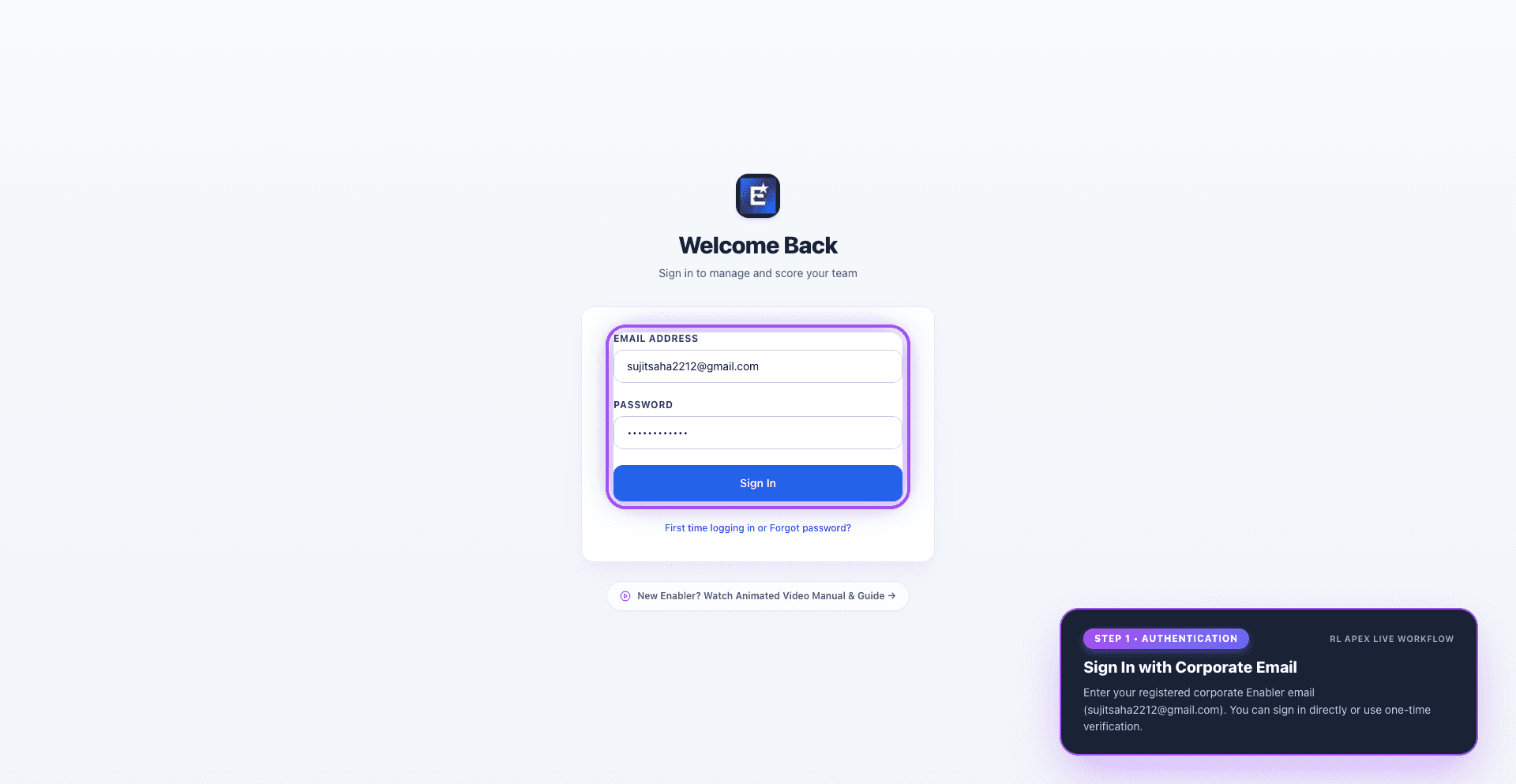
1. Getting Started & Sign-In
Quick corporate login using your email and password or one-time code
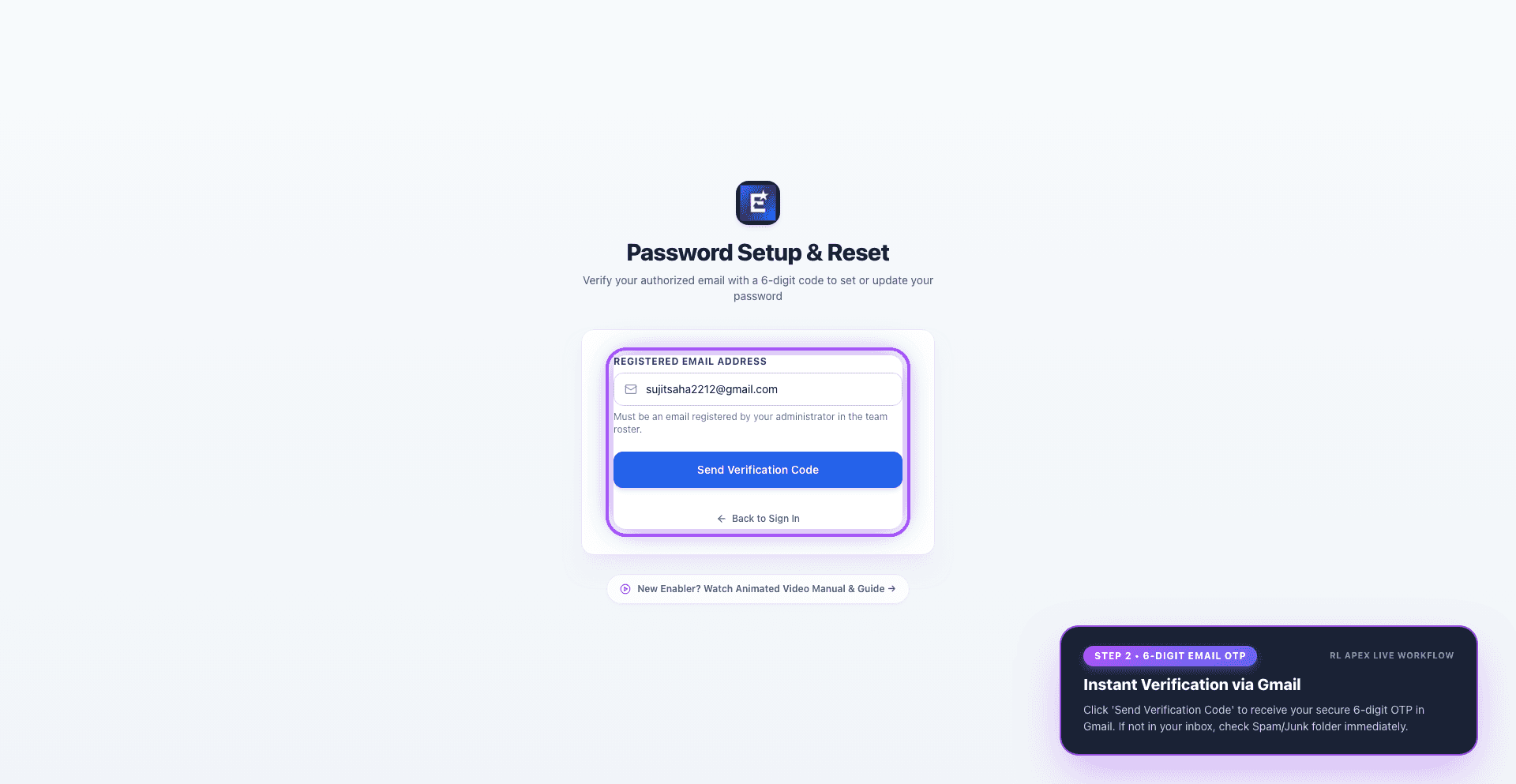
2. Email Verification Code
6-digit passcode delivered to Gmail with primary and Spam/Junk guidance
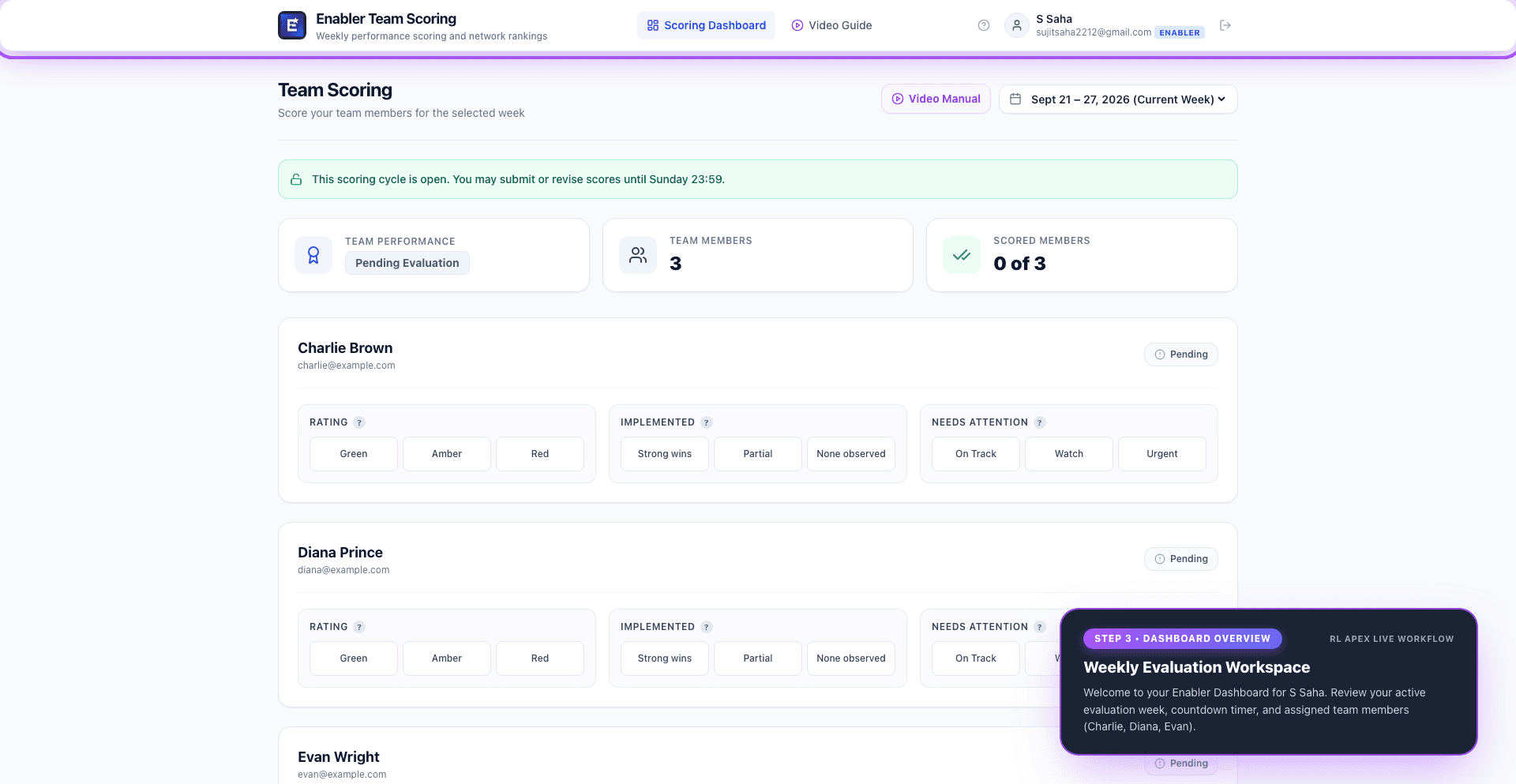
3. Your Team & The Weekly Cycle
Active evaluation week, Sunday deadline timer, and assigned team members
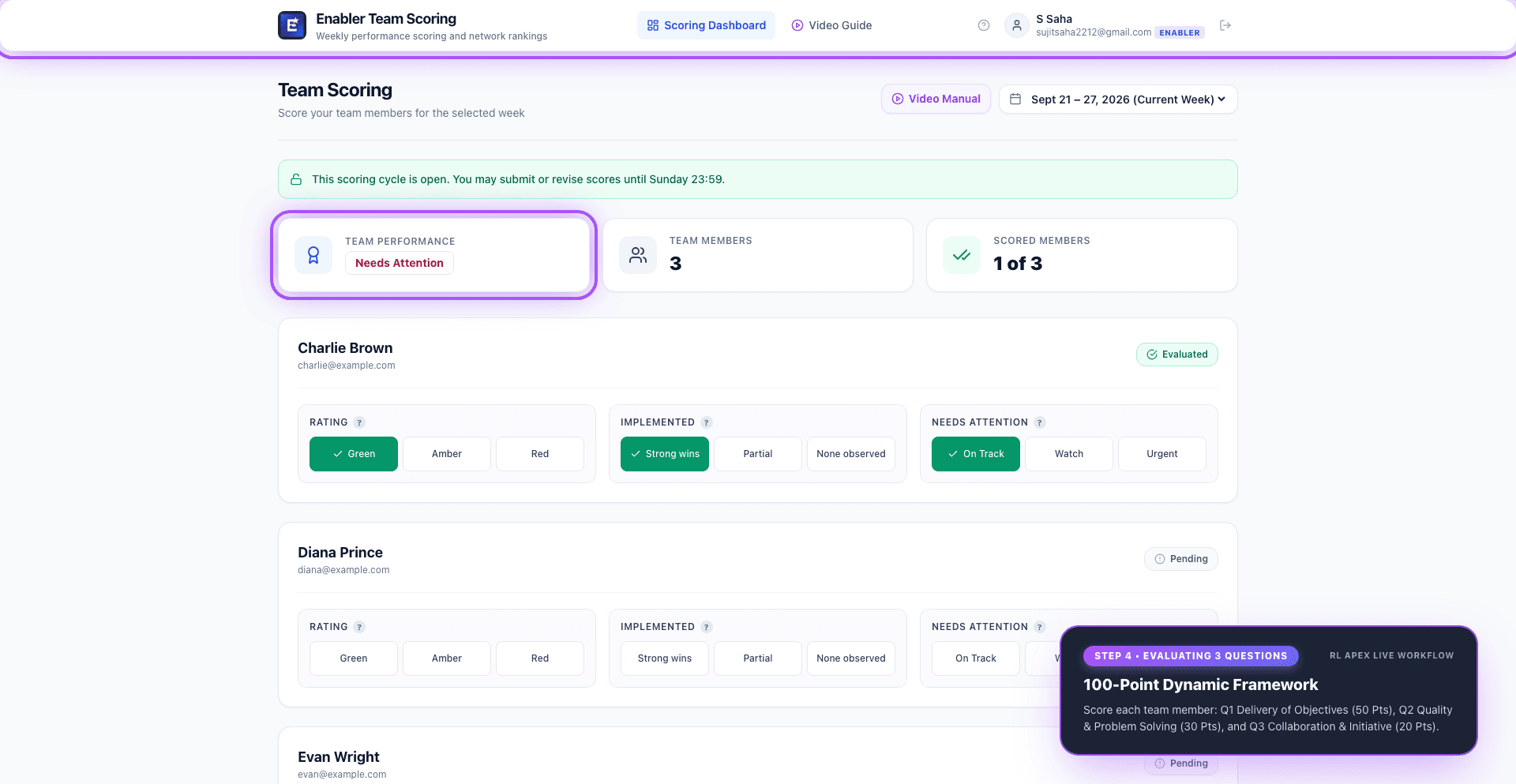
4. The 3 Real Evaluation Questions
Rating (40 Pts), Implemented (40 Pts), and Needs Attention (20 Pts) = 100 Pts
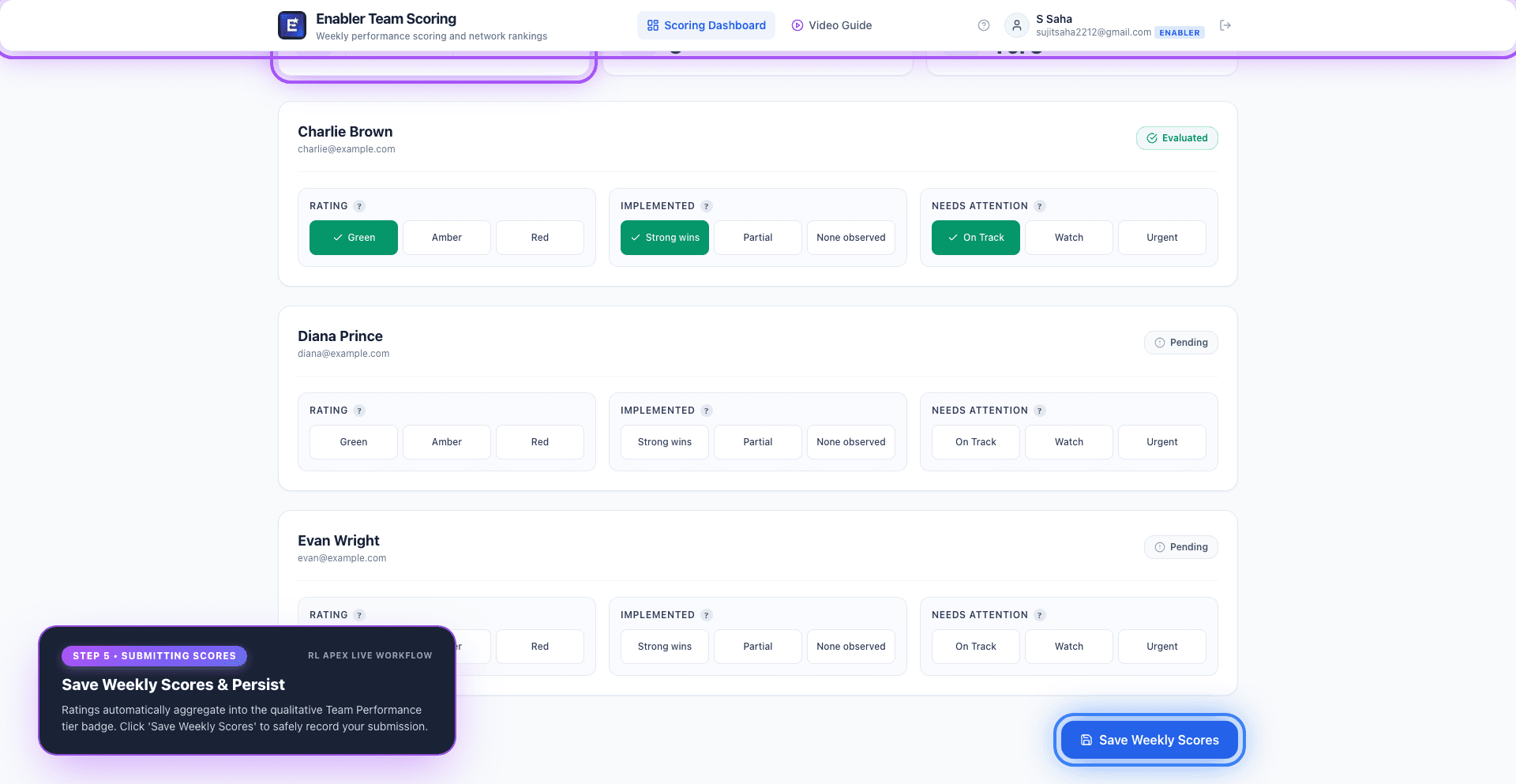
5. Live Tiers & Saving Scores
Evaluated badge, real-time Team Performance tier, and Google Sheets save
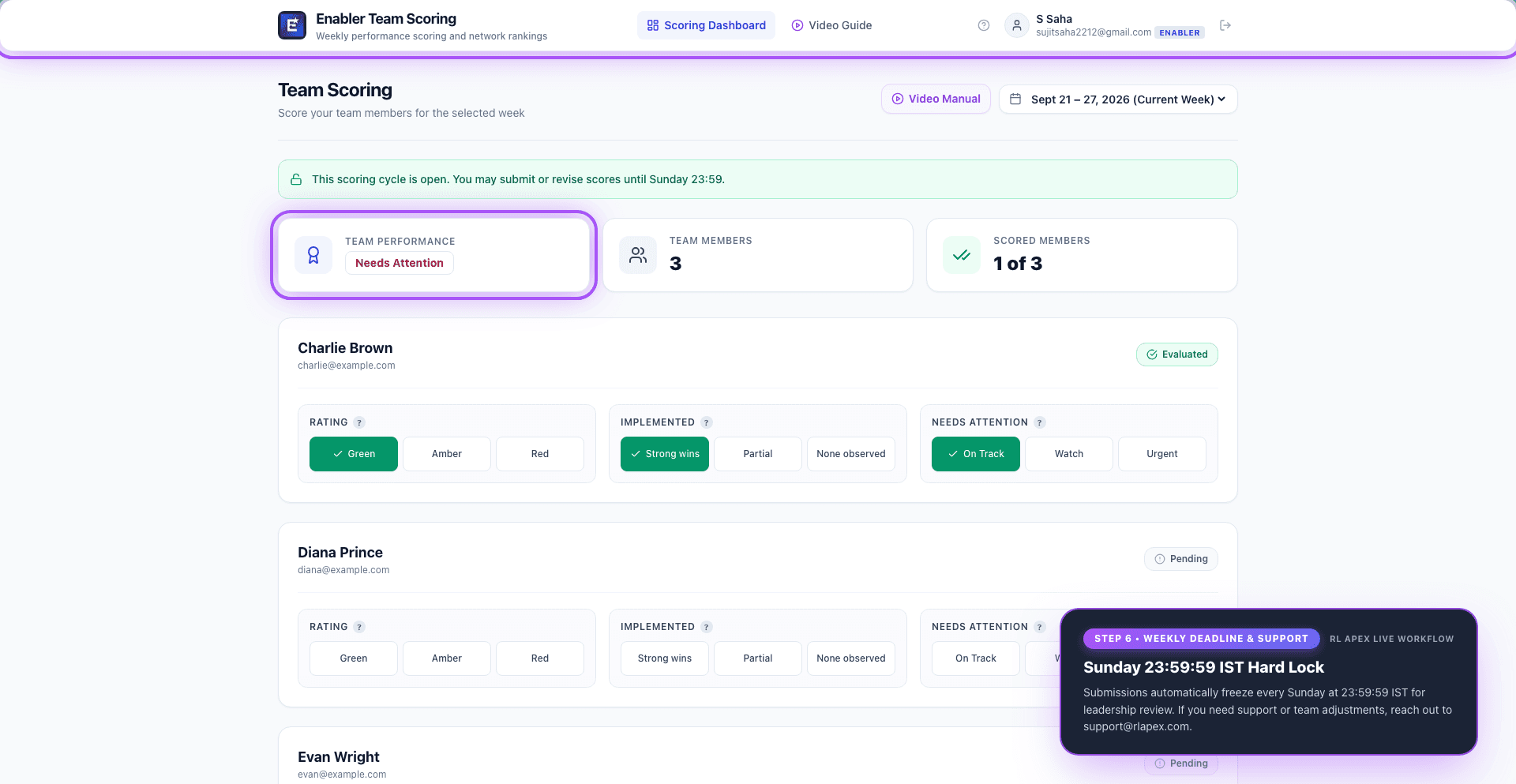
6. Sunday Cutoff & Support
Sunday 11:59 PM deadline lock, leadership review, and support contact
Enabler Quick Reference Cheatsheet
Live evaluation questions, scoring weights, performance tiers, and operational rules dynamically synced with production
Rate this member's overall participation, engagement and implementation this week. Green = actively contributing, engaged and delivering on commitments. Amber = some gaps in engagement or delivery, needs a nudge. Red = disengaged, blocked, or not implementing — needs active support.
Where has this member implemented this week? Share the specific actions or wins you noticed — did they put their agreed commitments into practice and deliver something tangible? Strong = clear wins observed. Partial = some action taken but incomplete. None = no visible implementation this week.
Is this member stuck, disengaged, or struggling this week? Are there blockers, common issues, or questions about them the network should know about? On Track = no concerns. Watch = minor concern, keep an eye. Urgent = actively stuck or disengaged — needs immediate support or escalation.
* Question values and prompt descriptions dynamically load from config/questions.json and Google Sheet sync.
* Enablers see qualitative badges only (no raw numbers) to foster growth rather than pressure.
- Sunday Lock DeadlineEvery Sunday at 23:59:59 IST (Asia/Kolkata). Submissions auto-freeze into read-only mode for leadership auditing.
- Weekly Cycle StartEvery Monday at 00:00:00 IST opens the fresh evaluation roster for the current active week.
- Editing Reason ProtocolRevisions in the active week require entering an explanation note before changes can be saved.
- Help & Team Supportsupport@rlapex.com
* Score revisions and locks are guarded by server-side Apps Script LockService.